05 September 2026
Agent registry, privilege ratings, and SharePoint agent control
Agent 365 registry sync (559615), Teams app/agent privilege levels (502842), and Learn guidance for SharePoint agent management — inventory before scale.
DIGITAL SKILL WORKS LTD / 12 PANES
Illustration: Paper/Ink header (AI-assisted). DIGITAL SKILL WORKS LTD / 12 PANES.
You cannot Steady what you cannot see. Registry sync, privilege ratings, and SharePoint agent controls are how inventory becomes governance.
What shipped / what’s on the roadmap
Microsoft Agent 365: Registry sync (MRC 559615) — status In development. Connect to external AI platforms to discover agents created outside Microsoft and sync them into the Agent 365 registry for visibility and governance. Preview May 2026 / GA July 2026 on the item — verify live. (Roadmap 502617 was not available in MRC at write time; use 559615 for registry sync.)
Teams: Permission and Privilege level of Apps and Agents (MRC 502842) — status Launched. Teams admin centre shows risk rating per permission and overall privilege level for apps and agents to speed informed approval. GA October 2025 on the item.
What Learn says
Manage access to agents in SharePoint explains that SharePoint agents respect user permissions to source content; access is managed via Copilot licensing or pay-as-you-go security groups; .agent file permissions govern who can use or edit an agent; restricted content discovery can hide agent features on a site; and Microsoft 365 admin centre Agents under the Copilot Control System can block agents for Copilot Chat (not yet for OneDrive/SharePoint/Teams at the time of that Learn note). Manage agents for Microsoft 365 Copilot and extensibility privacy guidance reinforce inventory, sharing controls, and permission inheritance — agents do not grant new privileges beyond Graph identity.
Why you should care (12 Panes)
Board. External agents without registry coverage are unowned operating risk.
CISO. Privilege ratings shorten approval theatre into risk decisions. SharePoint site ACLs remain the real boundary.
CFO. Pay-as-you-go and licence paths need owners before agent fleets grow.
Adoption. Site owners need a main-agent pattern and a “when not to create” rule.
Panes. 04 Security · 05 GRC · 07 Licence · 09 Work & Skills · Agent 365 ops.
Diagram
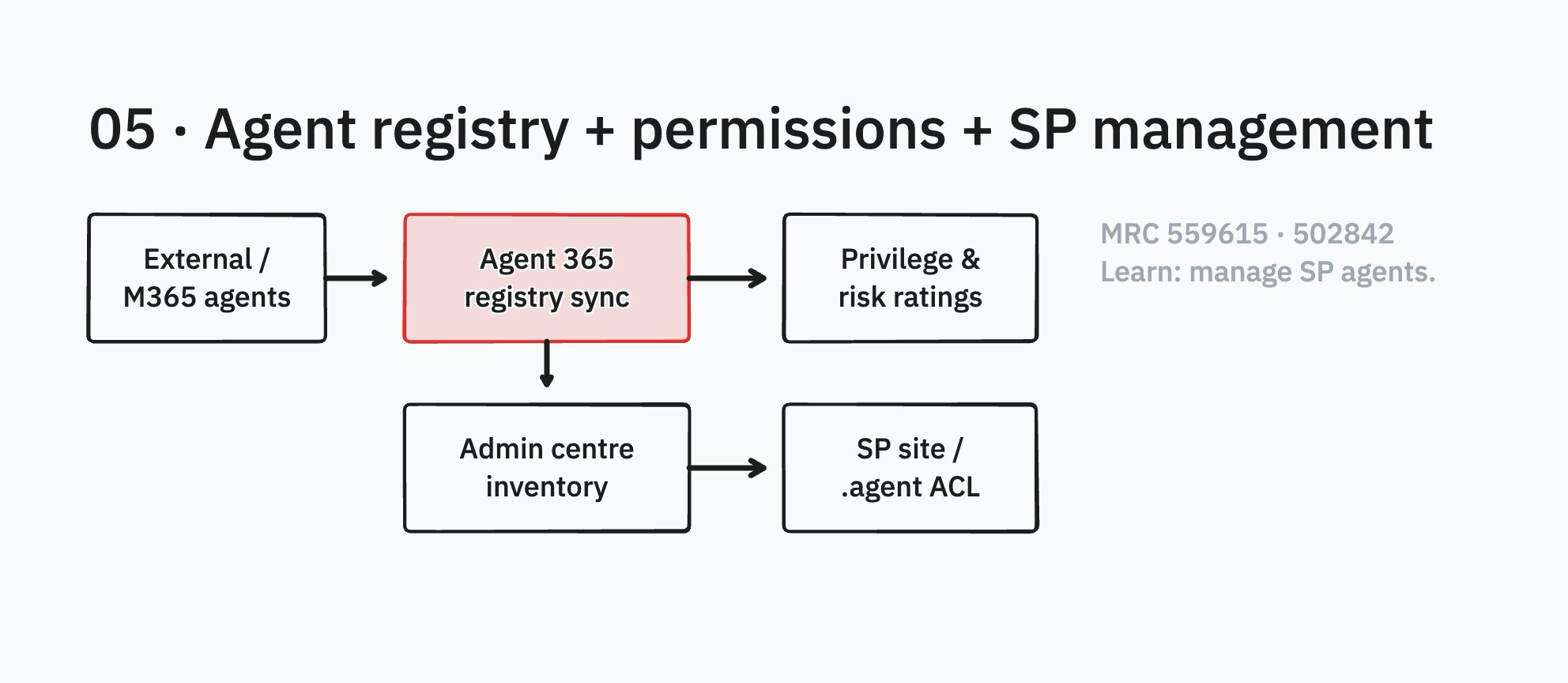
Diagram: 12 Panes / tldraw — board “12 Panes — Blog Diagrams”.
Suggested action
- Stand up an agent register now; treat 559615 as the future sync — do not wait to invent owners.
- Use Teams privilege ratings in app/agent approval workflows (502842).
- Apply restricted content discovery on sites that must not ground agents.
- Review CCS Agents inventory monthly with Security and Adoption.
Communication needed
Security + GRC: register and approval SLAs. SharePoint admins: site owner playbooks. Comms: why some agents are blocked.
Benefits and risks
Benefits. Visibility across Microsoft and external agents (when sync lands). Faster, risk-aware approvals. Site-level kill switches.
Risks. Blocking only in Copilot Chat while agents still run elsewhere. Ownerless .agent files. Assuming registry sync equals control.